Computer
The kart's onboard computer is an NVIDIA Jetson AGX Orin Developer Kit. It runs the ROS 2 stack: perception, planning, control, and the dashboard. It does not touch the actuators directly — it sends commands over USB serial to the Kart Medulla, which does.
Flashing, JetPack versions, NVMe boot and the whole software install are on the Orin Setup page. This page covers the hardware: what the board is, how it is powered, and the adapter board that connects it to the kart.
Specifications
| CPU | 12-core ARM (aarch64), 62 GB RAM |
| GPU | Ampere, CUDA 12.6 |
| Storage | 57 GB eMMC (soldered, bootloader only) + 476 GB NVMe M.2 SSD (root filesystem) |
| Power mode | MODE_50W — the board defaults to 30 W and is deliberately switched up |
Power
| Voltage range | 9–20 V DC, typically 19 V |
| Supplied from | The kart's 12 V rail — see Battery |
| Connector | Barrel jack, 5.5 mm OD / 2.5 mm ID, centre positive |
Measured power draw under load has not been recorded yet; the 50 W power mode is the ceiling the board is configured for, not a measurement.
Reference links
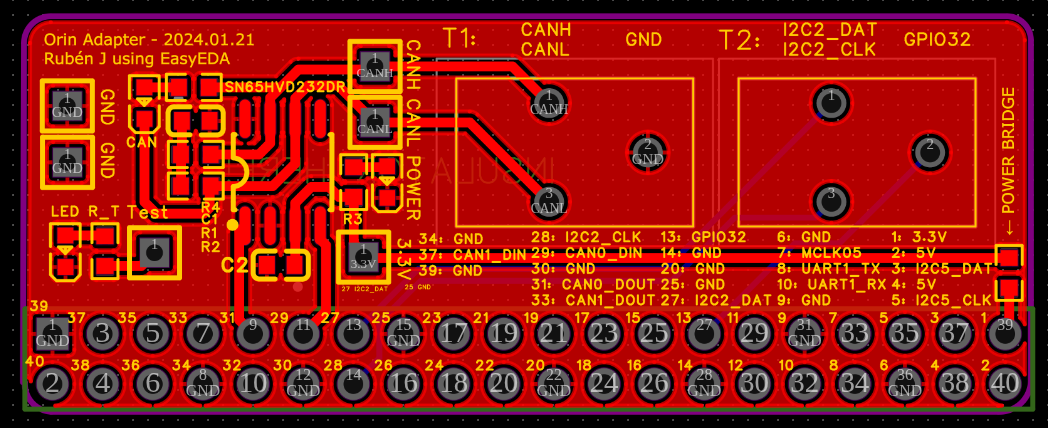
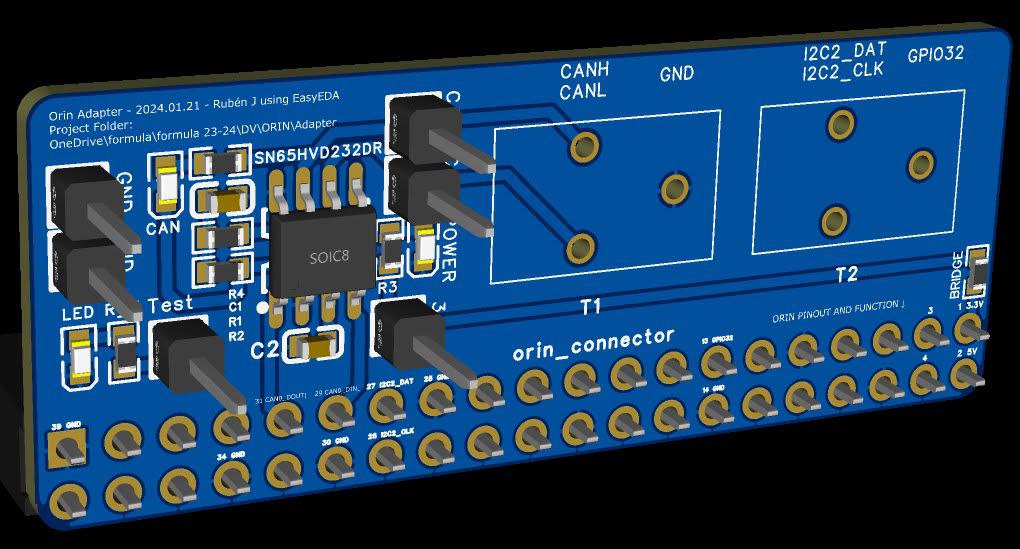
Orin adapter board (v1.0)
A small custom PCB that breaks the Orin's 40-pin header out to the kart. Designed in
EasyEDA; project file
here, also in the Owncloud folder at
formula/formula 24-25/DV/ORIN/adapter/ProProject_Orin Adapter_2025-03-09.epro.
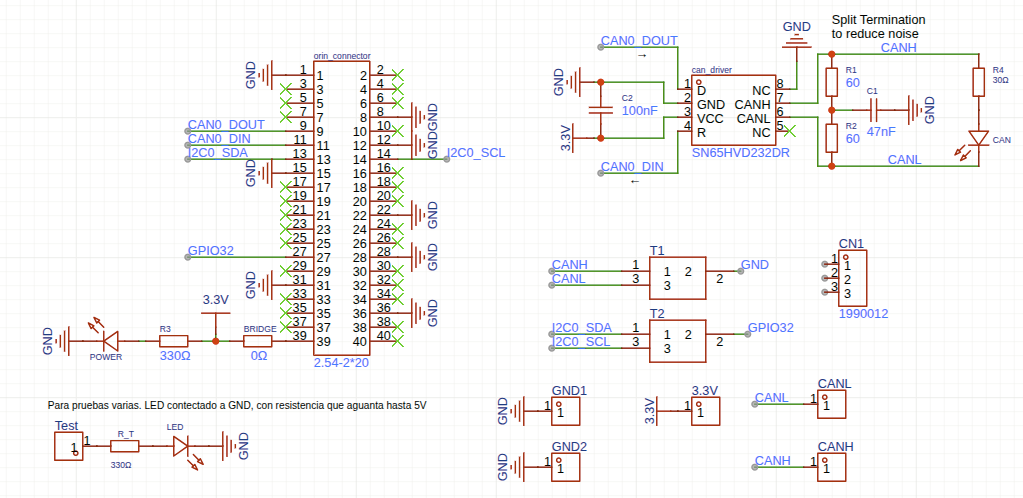
What the schematic contains:
- Power supply: regulated 3.3 V and 5 V outputs.
- CAN interface: an SN65HVD232DR transceiver. Fitted but unused — the kart has no CAN bus; the Orin ↔ medulla link is USB serial.
- Connector: 2.54 mm 2×20 header to the Orin.
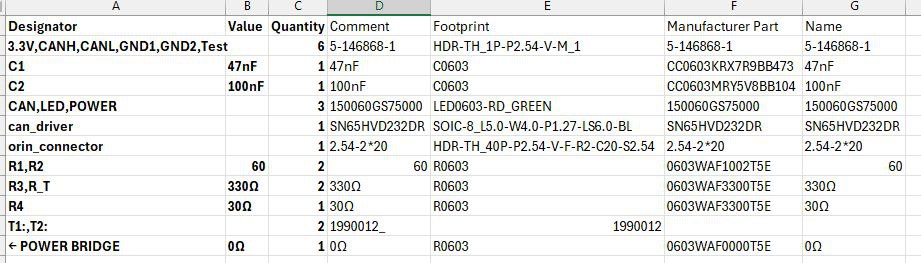
- Filtering: C1 (47 nF), C2 (100 nF).
- Resistors: R1, R2 (60 Ω), R3, R_T (330 Ω), R4 (30 Ω).
- Test points: T1, T2.
Schematic
Bill of materials
Board
Installing AnyDesk on the Orin
For remote desktop access to the Jetson:
wget -qO - https://keys.anydesk.com/repos/DEB-GPG-KEY | sudo apt-key add -
echo 'deb http://deb.anydesk.com/ all main' | sudo tee /etc/apt/sources.list.d/anydesk.list
sudo apt update
sudo apt install -y anydesk